
Mastering Data Seeding - using CSV and CSVIM in Rhea by codbex
Introduction
In the fast-paced world of cloud-native development, the most expensive resource isn't your server—it's your time. Why spend hours writing custom boilerplate scripts to parse and upload data when you could do it in seconds? Rhea by codbex is redefining the Low-Code experience by turning tedious database seeding into a simple, declarative process. By leveraging the power of CSVIM (CSV Import Model), you can transform flat files into fully functional database records with zero manual coding. In this post, we’ll show you how to move away from Pro-Code bottlenecks and embrace a streamlined, configuration-first approach that gets your data-driven apps live in record time.
Sample project
Entities
Create a New Project
- Create a new project and name it
sample-csvim. - Right-click on Project → New → Entity Data Model and name it
sample-csvim.edm.
Country Entity
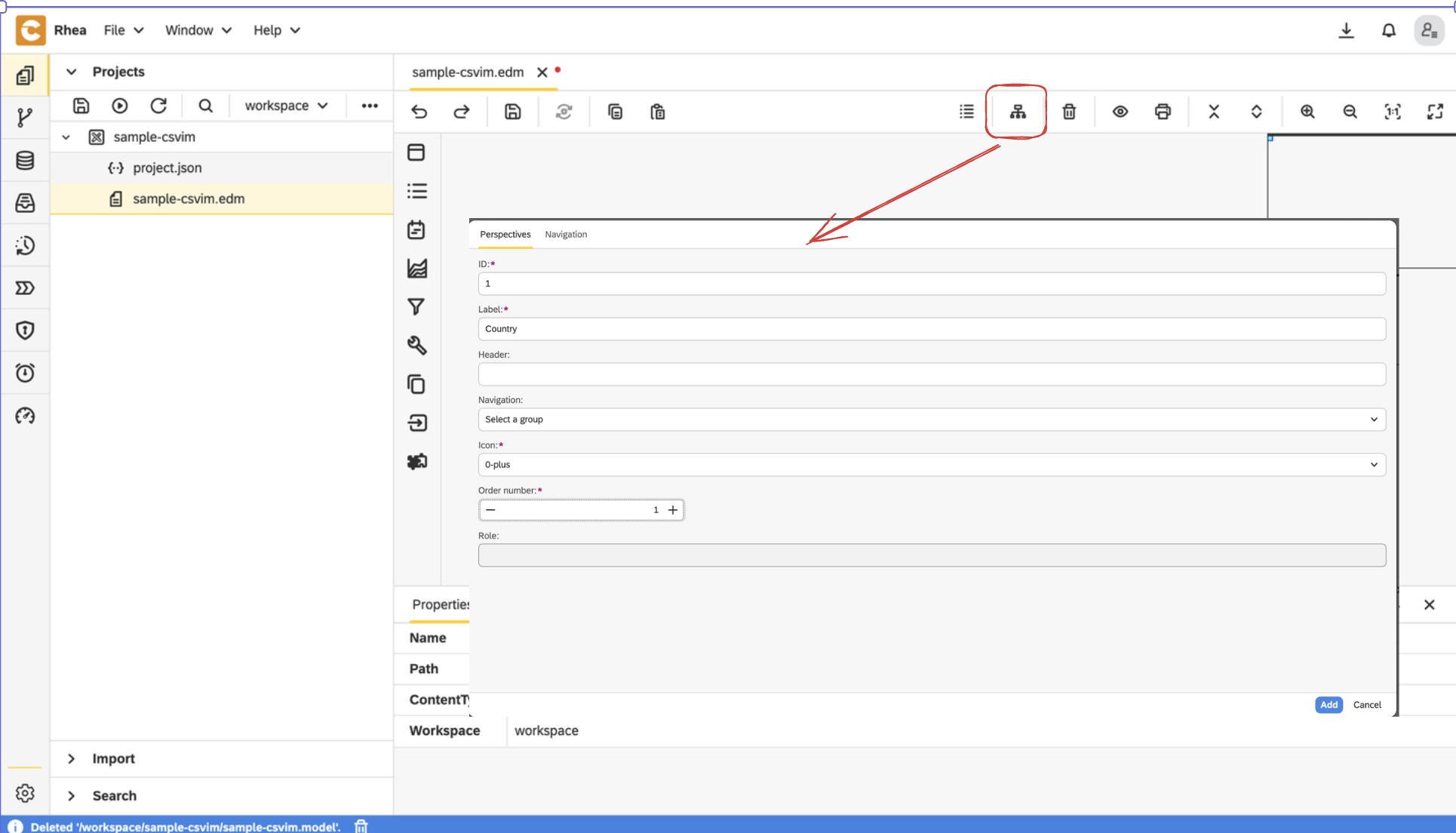
- Add Perspective for
Country
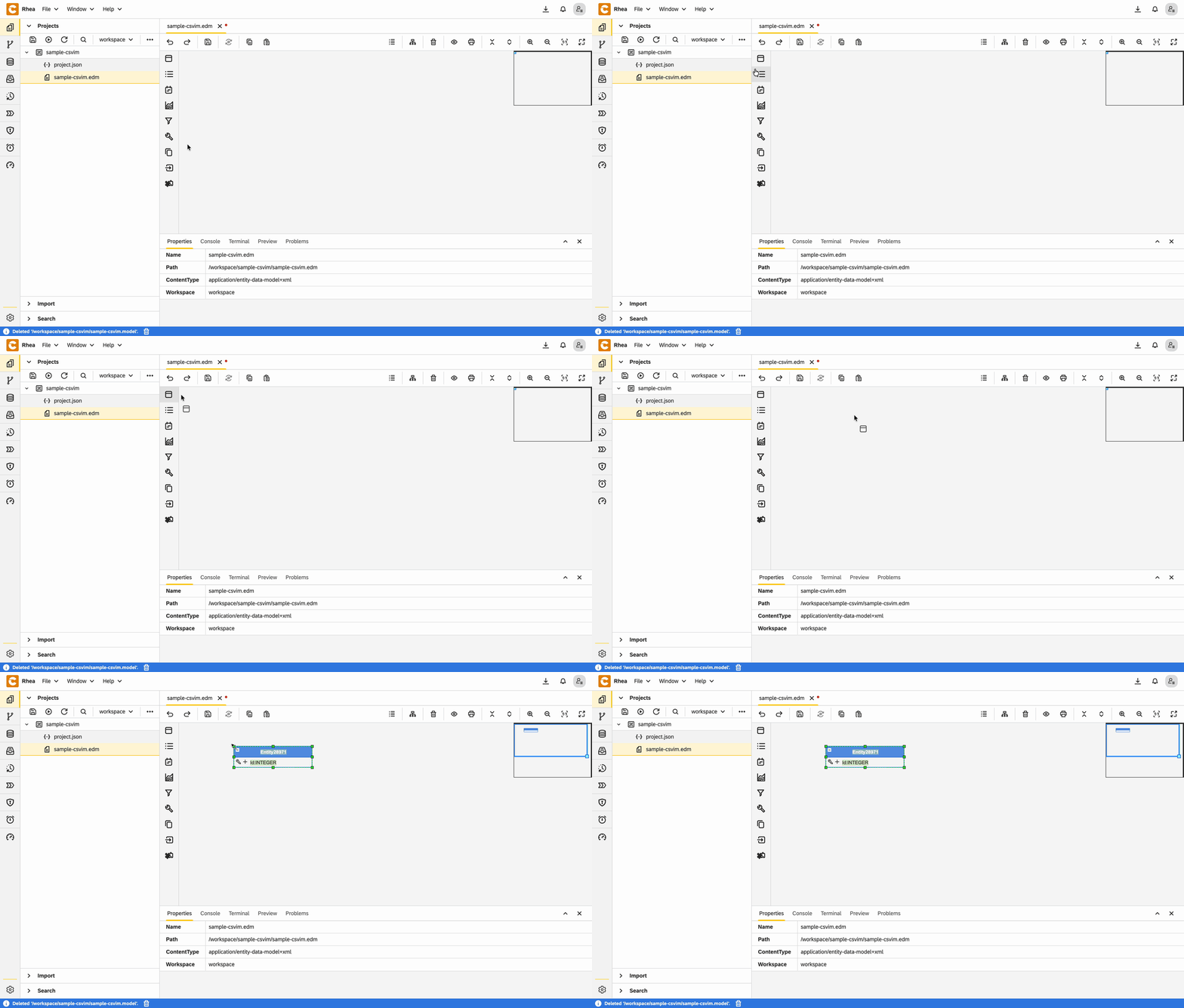
- Create an entity and set its name to
Country
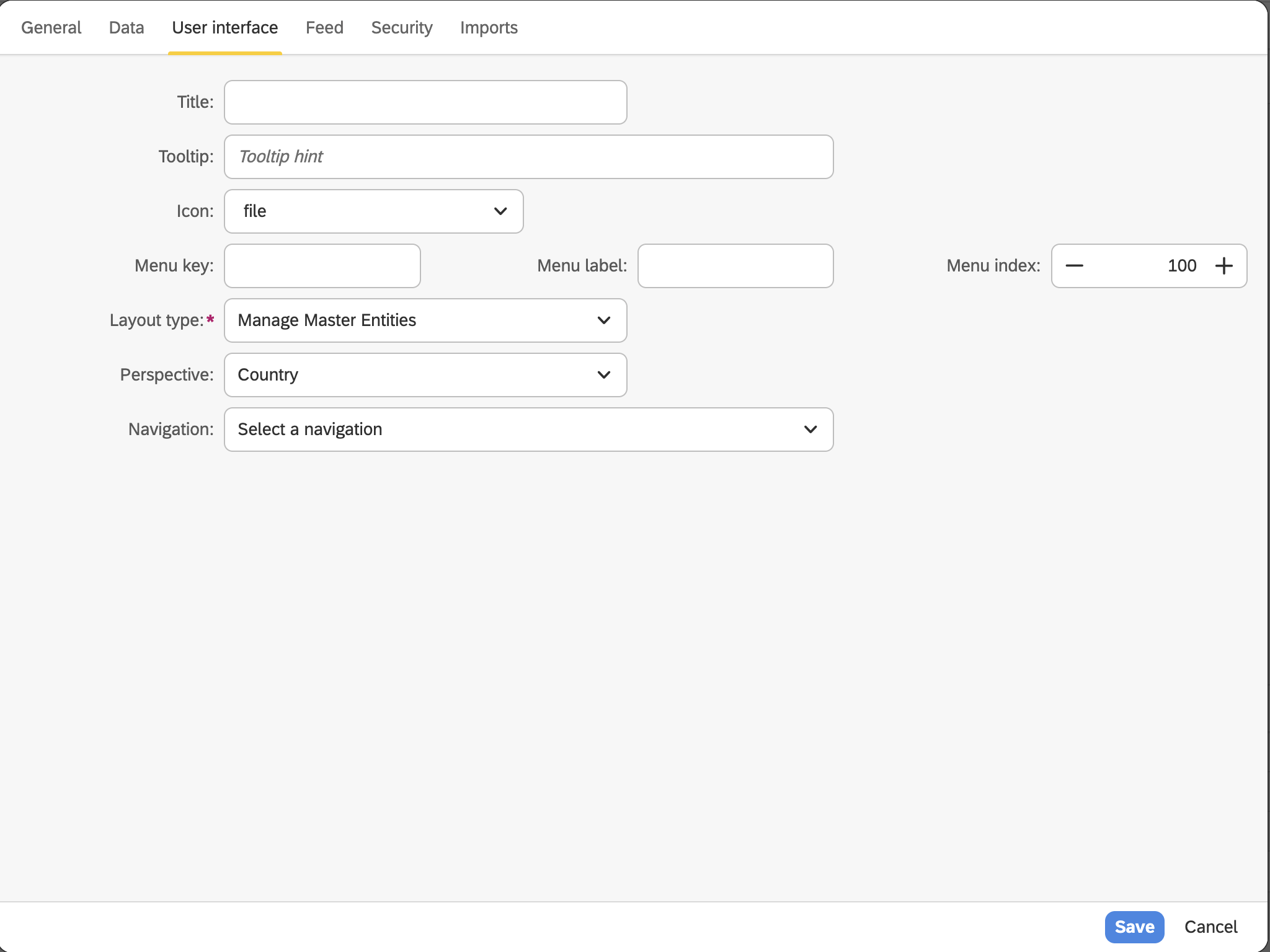
- Right-click on the entity and open
Properties - In the User Interface section:
- Set Layout type to
Manage Master Entities - Choose the already defined perspective:
Country
- Set Layout type to
- Add text field for
Name
City Entity
Add Perspective for
CityCreate an entity and set its name to
CityRight-click on the entity and open
PropertiesIn the User Interface section:
- Set Layout type to
Manage Master Entities - Choose the already defined perspective:
City
- Set Layout type to
Add text field for
NameAdd relationship to
Country
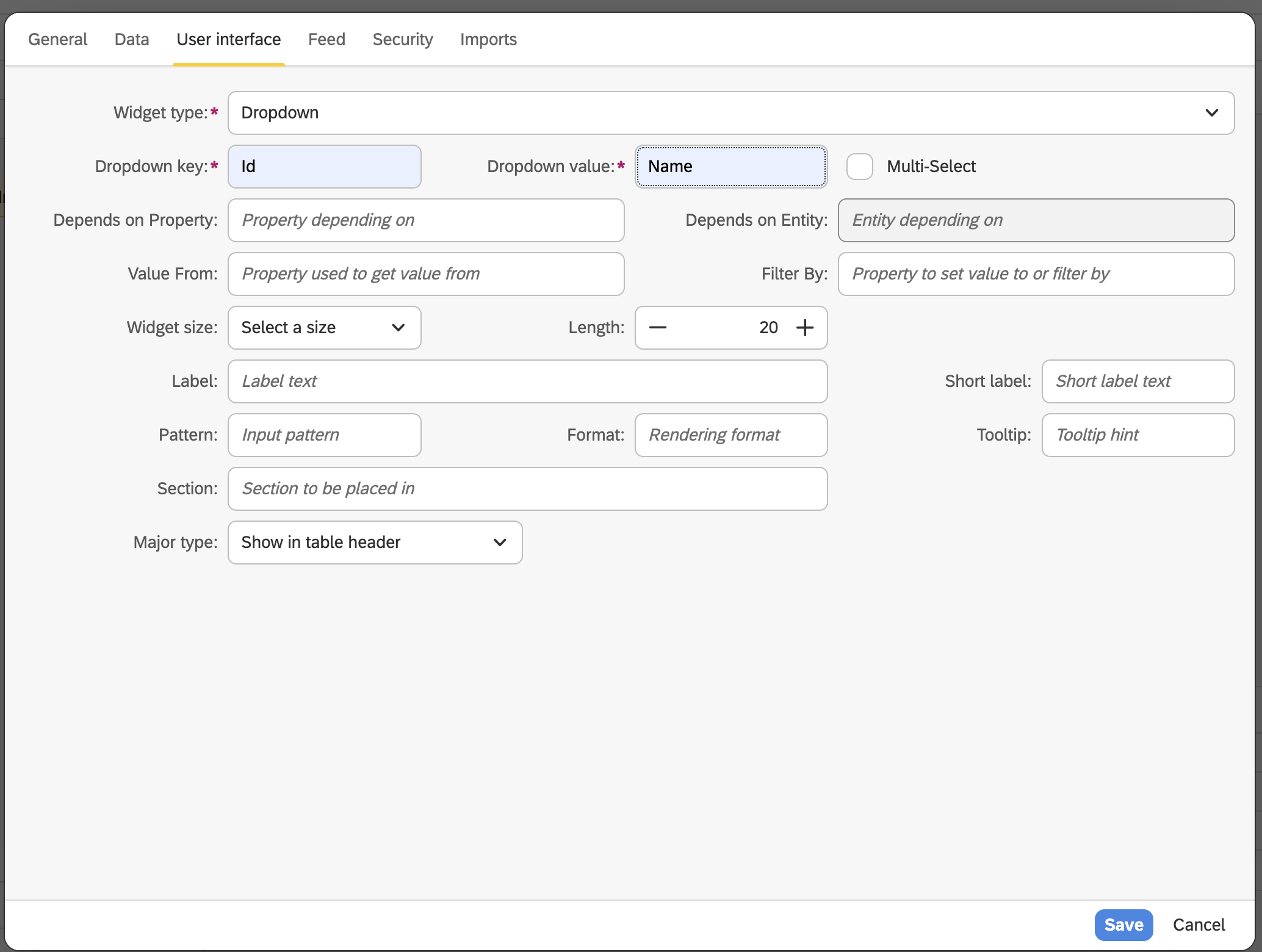
Configuration for Country field
- From User Interface view, choose:
Dropdownfor widget typeIdfor dropdown keyNamefor dropdown value
Final EDM
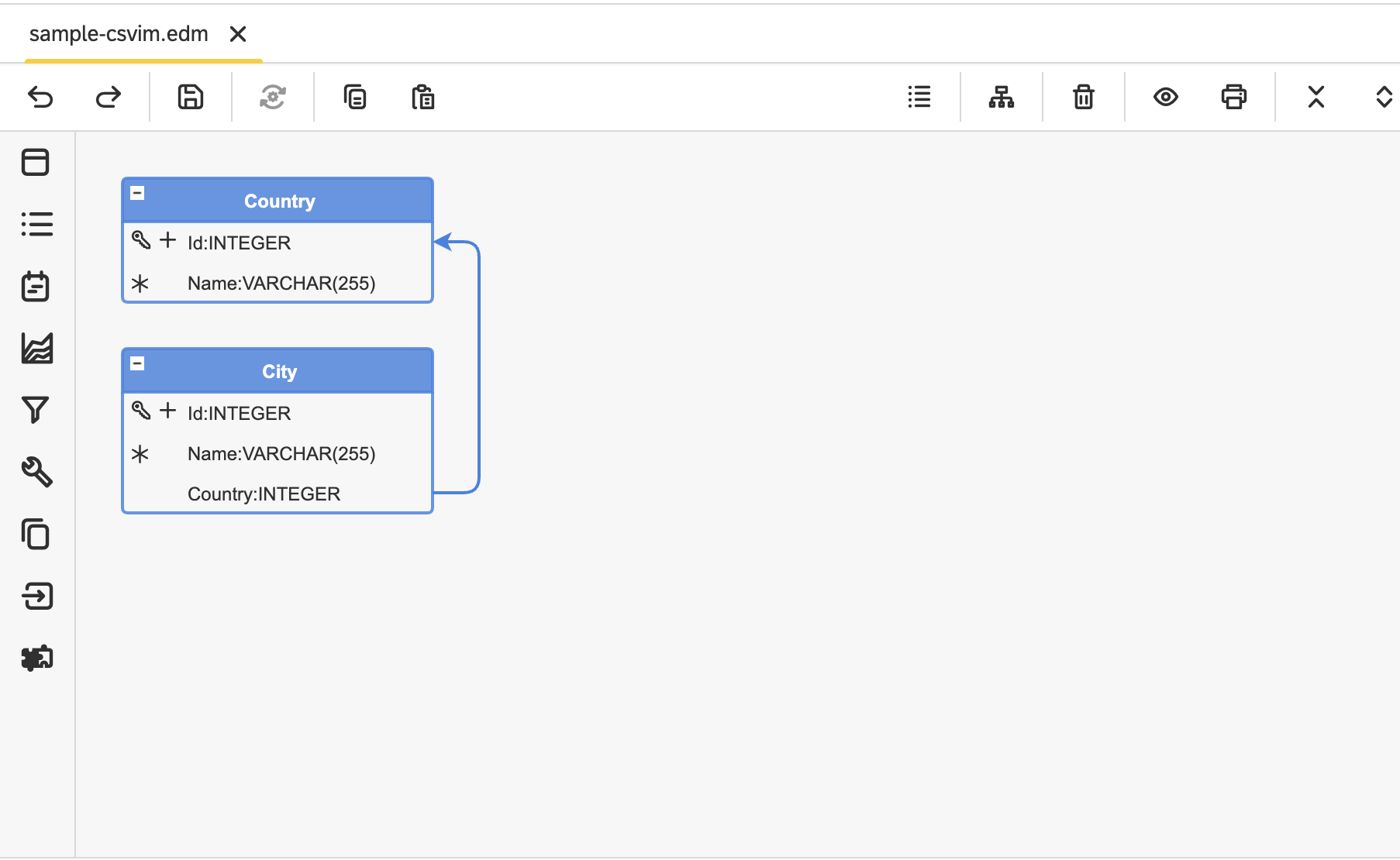
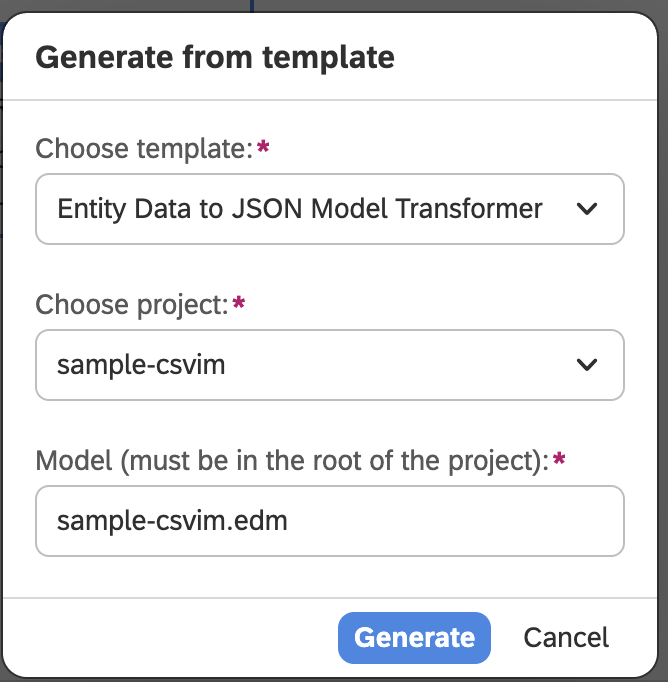
- Right-click on EDM file Generate and choose Entity Data to JSON Transformer Model.
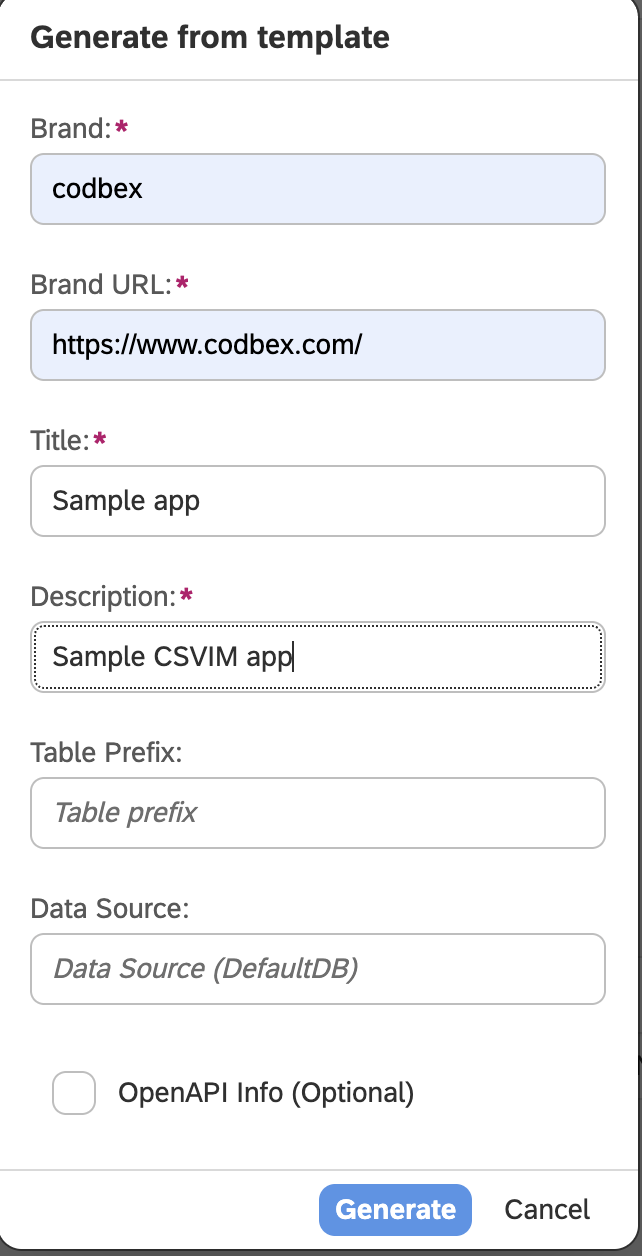
- Right-click on
.modelfile, choose Application - UI (Angular JS), fill fields in the next window with your details, and click Generate.
CSV and CSVIM files
Cities
- Create folder and name it
cities- Create file
cities.csvand add the following content in it
- Create file
CITY_ID,CITY_NAME,CITY_COUNTRY
1,Sofia,1
2,Plovdiv,1
3,Varna,1
4,Burgas,1
5,Ruse,1
6,Rome,2
7,Milan,2
8,Naples,2
9,Florence,2
10,Venice,2
11,Paris,3
12,Lyon,3
13,Marseille,3
14,Toulouse,3
15,Nice,3
16,Madrid,4
17,Barcelona,4
18,Valencia,4
19,Seville,4
20,Zaragoza,4
21,Vienna,5
22,Salzburg,5
23,Innsbruck,5
24,Graz,5
25,Linz,5- Create file
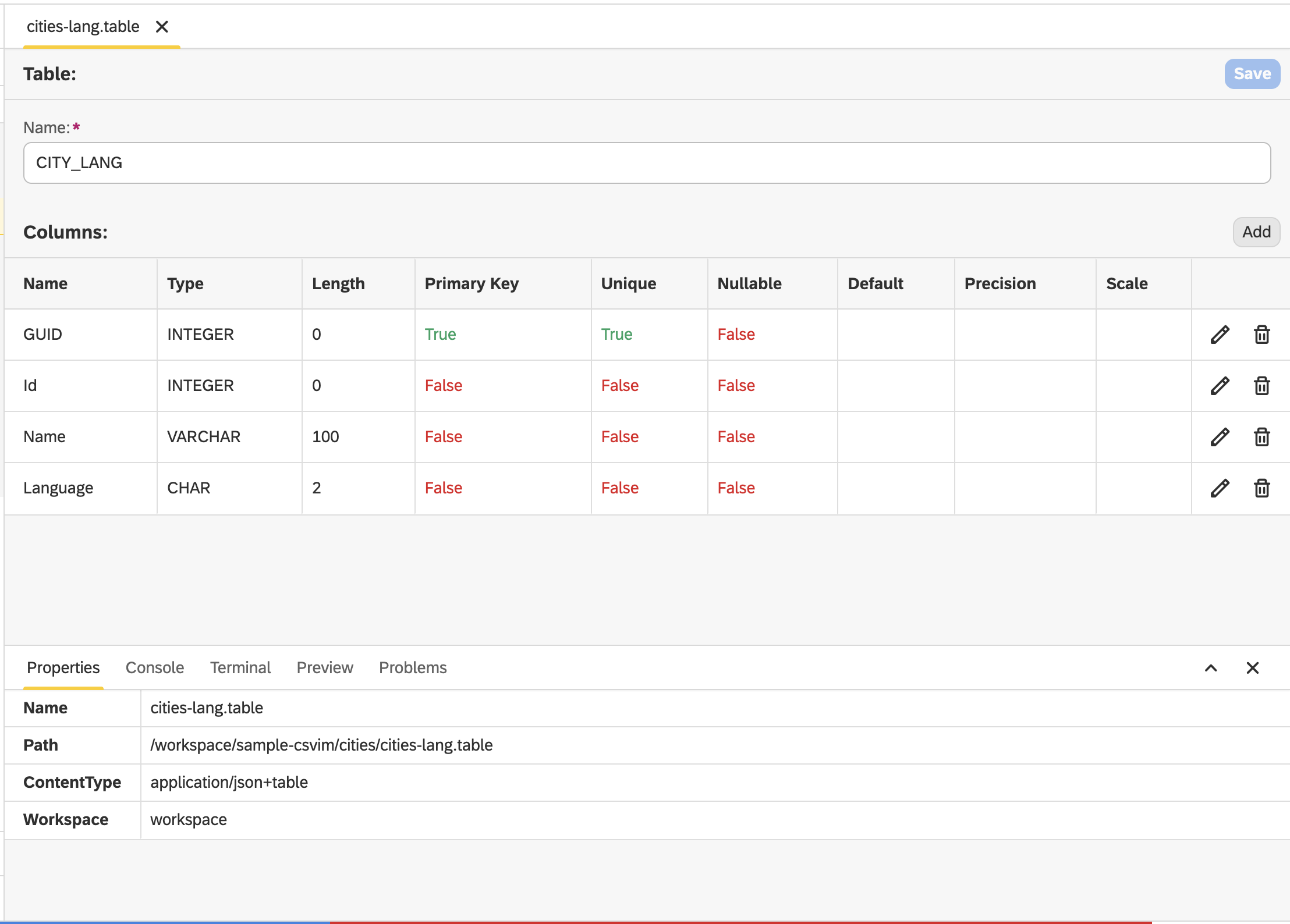
cities-lang.tableand configure the table this way
- Create file
cities-lang.csvand add the following content in it
GUID,Id,Name,Language
1,1,София,bg
2,2,Пловдив,bg
3,3,Варна,bg
4,4,Бургас,bg
5,5,Русе,bg
6,6,Рим,bg
7,7,Милано,bg
8,8,Неапол,bg
9,9,Флоренция,bg
10,10,Венеция,bg
11,11,Париж,bg
12,12,Лион,bg
13,13,Марсилия,bg
14,14,Тулуза,bg
15,15,Ница,bg
16,16,Мадрид,bg
17,17,Барселона,bg
18,18,Валенсия,bg
19,19,Севиля,bg
20,20,Сарагоса,bg
21,21,Виена,bg
22,22,Залцбург,bg
23,23,Инсбрук,bg
24,24,Грац,bg
25,25,Линц,bg
26,1,Sofia,de
27,2,Plowdiw,de
28,3,Warna,de
29,4,Burgas,de
30,5,Russe,de
31,6,Rom,de
32,7,Mailand,de
33,8,Neapel,de
34,9,Florenz,de
35,10,Venedig,de
36,11,Paris,de
37,12,Lyon,de
38,13,Marseille,de
39,14,Toulouse,de
40,15,Nizza,de
41,16,Madrid,de
42,17,Barcelona,de
43,18,Valencia,de
44,19,Sevilla,de
45,20,Saragossa,de
46,21,Wien,de
47,22,Salzburg,de
48,23,Innsbruck,de
49,24,Graz,de
50,25,Linz,de
51,1,Sofia,fr
52,2,Plovdiv,fr
53,3,Varna,fr
54,4,Bourgas,fr
55,5,Roussé,fr
56,6,Rome,fr
57,7,Milan,fr
58,8,Naples,fr
59,9,Florence,fr
60,10,Venise,fr
61,11,Paris,fr
62,12,Lyon,fr
63,13,Marseille,fr
64,14,Toulouse,fr
65,15,Nice,fr
66,16,Madrid,fr
67,17,Barcelone,fr
68,18,Valence,fr
69,19,Séville,fr
70,20,Saragosse,fr
71,21,Vienne,fr
72,22,Salzbourg,fr
73,23,Innsbruck,fr
74,24,Graz,fr
75,25,Linz,fr
Countries
- Create folder and name it
countries- Create file
countries.csvand add the following content in it
- Create file
COUNTRY_ID,COUNTRY_NAME
1,Bulgaria
2,Italy
3,France
4,Spain
5,Austria- Create file
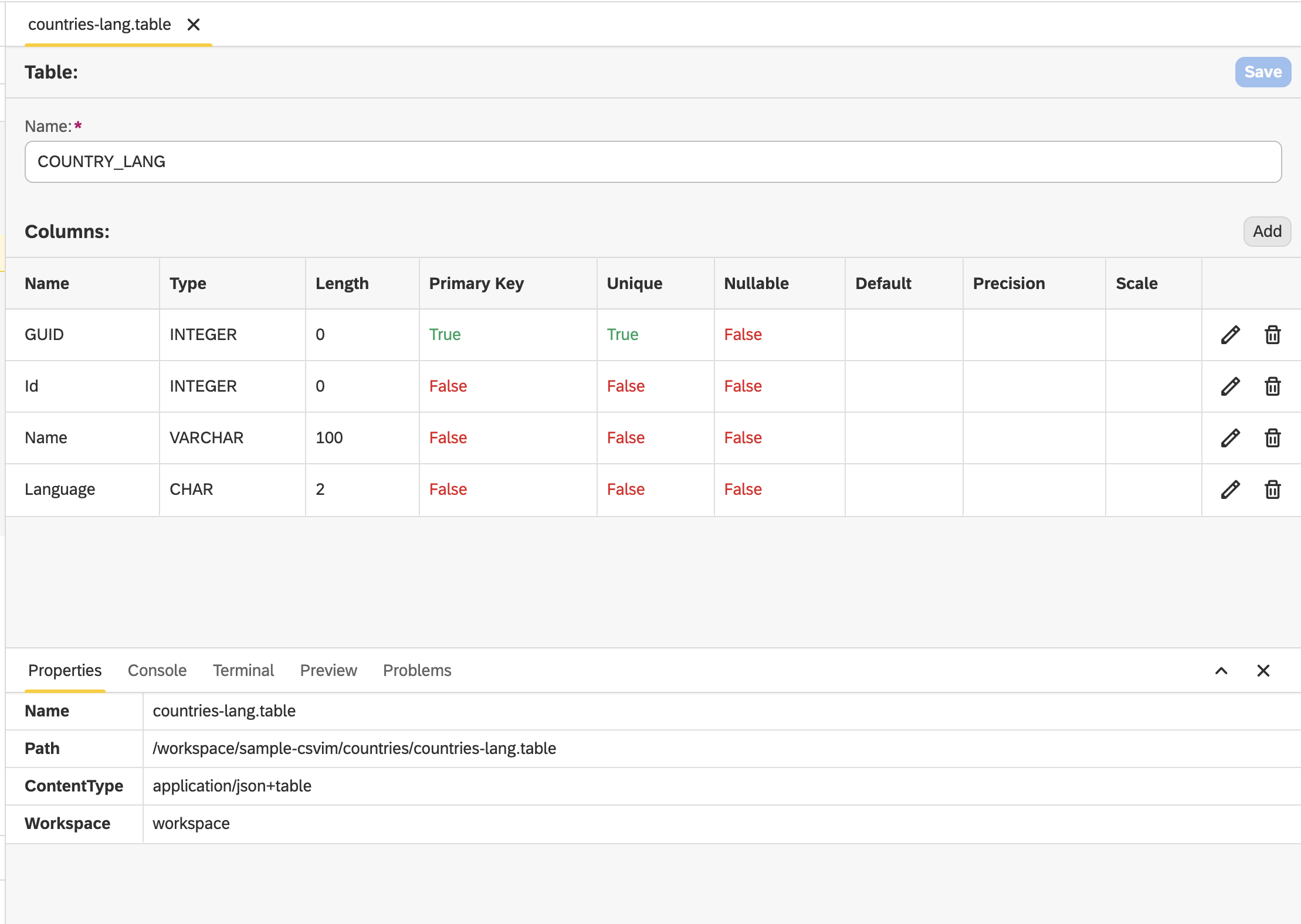
countries-lang.tableand configure the table this way
- Create file
countries-lang.csvand add the following content in it
GUID,Id,Name,Language
1,1,България,bg
2,2,Италия,bg
3,3,Франция,bg
4,4,Испания,bg
5,5,Австрия,bg
6,1,Bulgarien,de
7,2,Italien,de
8,3,Frankreich,de
9,4,Spanien,de
10,5,Österreich,de
11,1,Bulgarie,fr
12,2,Italie,fr
13,3,France,fr
14,4,Espagne,fr
15,5,Autriche,fr- Create
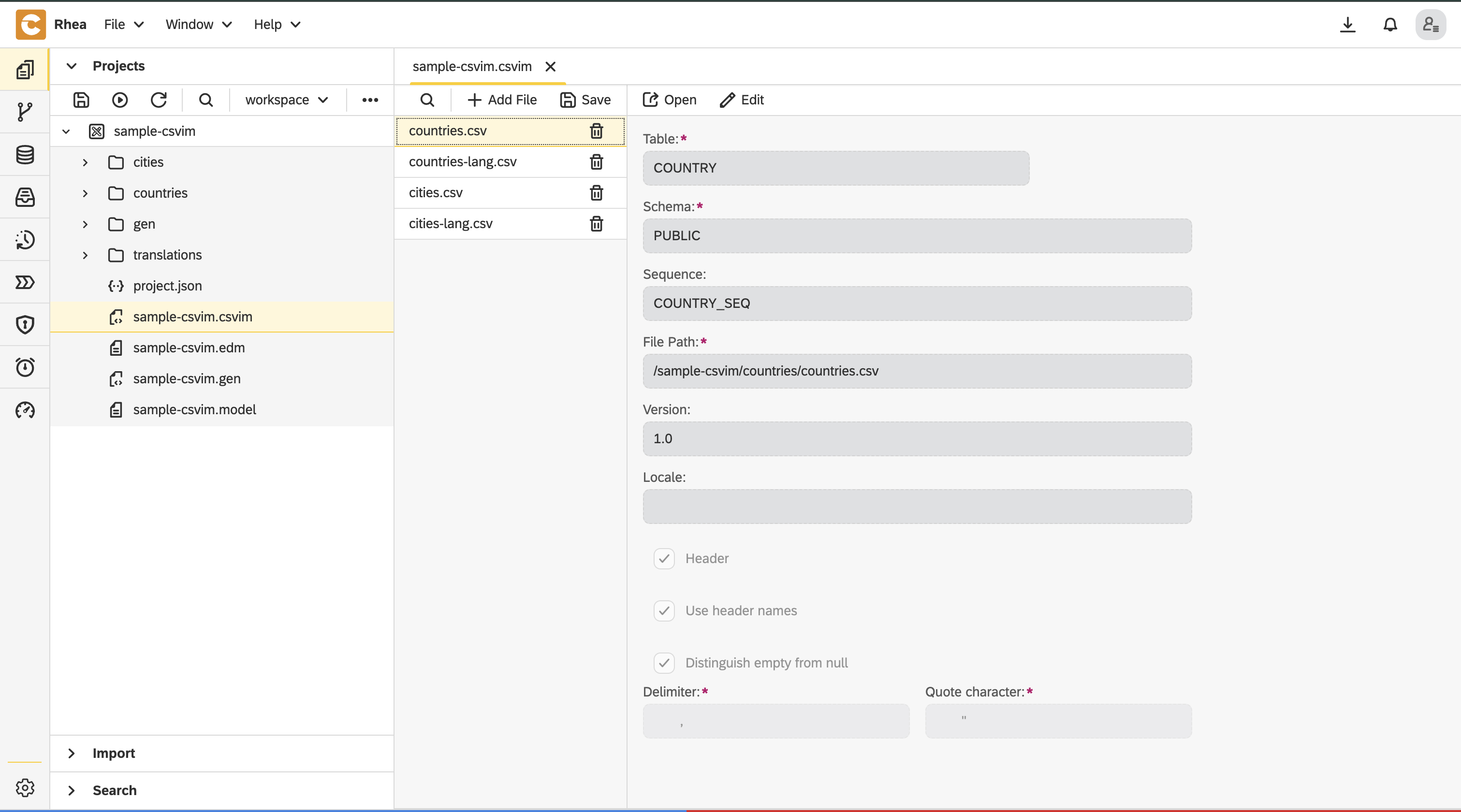
sample-csvim.csvimand add each of the.csvfiles this way
Save all and publish
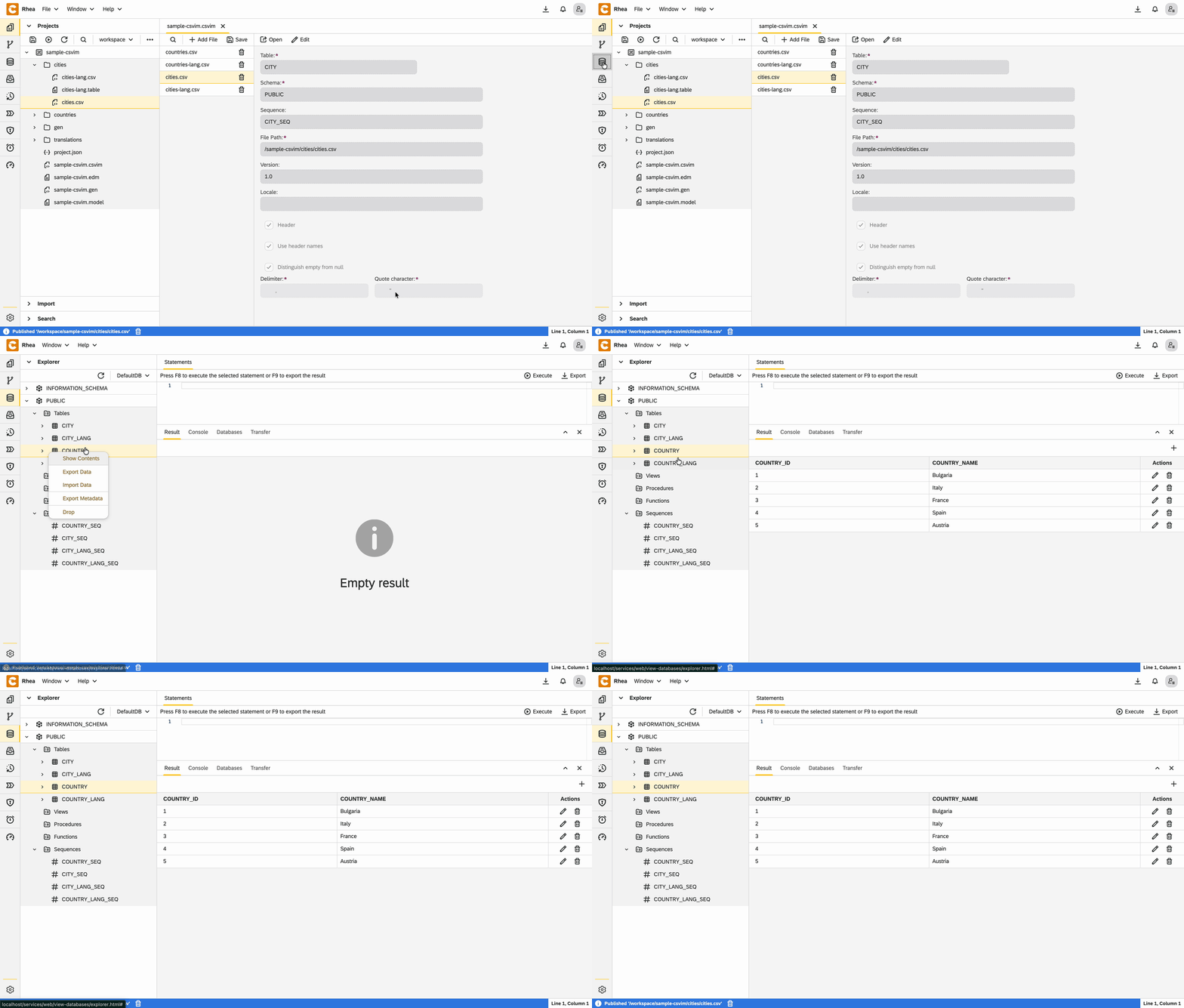
Go to database perspective and check if there is data seeded in the database
Conclusion
In this guide, we’ve shown how Rhea by codbex revolutionizes data seeding. With just a few configuration files and zero lines of custom boilerplate code, we have built a fully functional, multi-language data structure. Rhea doesn't just import rows; it allows you to maintain a clean, model-driven architecture while keeping your development process agile.
Ready to build your own? Click here to learn more or access the Sample App code.